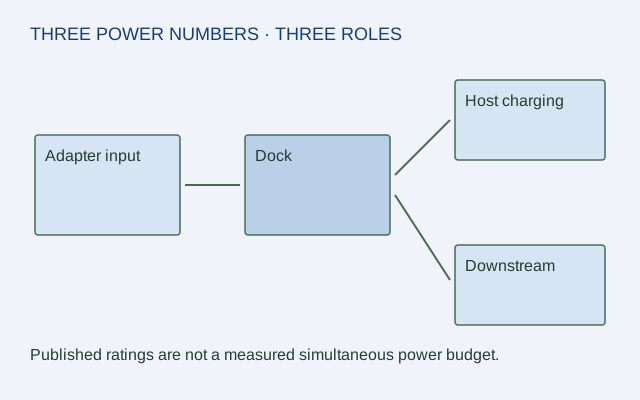
A dock's power adapter rating, its laptop-charging figure and its downstream port figures describe different roles. Treating them as interchangeable creates misleading budgets. A large input adapter does not imply that all of its rating is available to the host, and a host-charging maximum is not the dock's total input demand.
Start with the exact dock and its supplied power adapter. Record whether a number is a rating, a maximum delivery claim or an actual measurement. This guide uses published specifications only.
Put each number on the correct path
| TS4 documented role | Published value | Interpretation |
|---|---|---|
| Supplied power adapter | 230 W rating | Source rating; not measured constant draw |
| Dock DC input | 19.5 V / 11.8 A | Input specification from the manual |
| Host charging | Up to 98 W | Advertised laptop-side delivery limit |
| Downstream Thunderbolt | 15 W per port | Published downstream-port delivery |
| Front USB-C | 20 W | That port's advertised delivery |
| Other USB-C / USB-A | 7.5 W | Published delivery for those ports |
These claims belong to CalDigit TS4 documentation. Do not generalize them to another dock that shares its connector shape.
Do not subtract a fictional internal load
Subtracting 98 W from 230 W and calling the remainder “available accessory power” would skip the manufacturer's distribution conditions, conversion losses and other demands. Subtracting a sum of advertised port maxima and naming the remainder “dock consumption” is equally unsupported. The cited labels do not provide a measured simultaneous internal power budget.
For a hypothetical plan with a laptop and two accessories, record each device's own requirement, the intended port and the dock's documented delivery for that port. Consult the actual dock's combined-use conditions before assuming every maximum is available at once.
Check the host requirement separately
“Up to 98 W” does not prove that every laptop is supported at its desired operating condition. Compare the laptop maker's supported power input and cable conditions with the dock's host-side claim. Keep any insufficient or undocumented condition visible.
Save a path-based record
A useful worksheet has adapter → dock input, dock → host and dock → each accessory. Put each number on an arrow with its role and source. This preserves what is known without turning simple subtraction into an electrical measurement. No live power testing, electrical modification or charging-performance result is claimed here.
ORIGINAL REFERENCE DIAGRAM
Sources and scope
Official documentation checked October 17, 2026. The exact models, versions and conditions below matter.
- CalDigit TS4 power delivery profiles — TS4 advertises host charging up to 98 W, 15 W each downstream Thunderbolt port, 20 W front USB-C and 7.5 W other USB-C/A ports.
- CalDigit TS4 manual — TS4 DC input is 19.5 V / 11.8 A and supplied adapter is rated 230 W; no fixed internal-consumption figure is inferred from these labels.