A USB data-rate label describes a published interface performance category. It does not measure the speed of a particular file copy. Keep the label, unit and conditions intact when comparing a host, cable and accessory.
USB-IF's January 2024 performance-language guidance includes labels for 5, 10, 20, 40 and 80 Gbps. These performance numbers are more informative for a data task than assuming a connector shape supplies a speed. A USB-C-shaped connector still needs its own capability evidence.
Convert the unit, then preserve its meaning
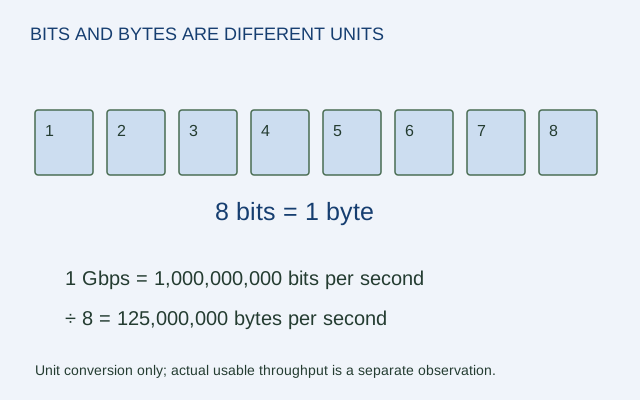
There are eight bits in a byte. Dividing a decimal gigabit-per-second value by eight gives a decimal gigabyte-per-second arithmetic equivalent. It does not remove protocol overhead or establish storage performance.
| Published rate | Arithmetic byte equivalent | What it is not |
|---|---|---|
| 5 Gbps | 625 MB/s | A guarantee for a 5 Gbps drive |
| 10 Gbps | 1,250 MB/s | A measured file-copy result |
| 20 Gbps | 2,500 MB/s | Proof that any USB-C cable supports it |
| 40 Gbps | 5,000 MB/s | A claim about a particular SSD |
| 80 Gbps | 10,000 MB/s | A substitute for host and device conditions |
These are original unit conversions. MB here means 1,000,000 bytes, while Gbps uses 1,000,000,000 bits per second.
Read all three links
Record the host port's published data capability, the cable's documented performance and the peripheral's interface specification. A higher number on one link does not establish that the entire connection operates at that number. Use the actual devices' compatibility documentation rather than treating “the lowest label wins” as a complete protocol negotiation rule.
For a hypothetical nominal 10 Gbps link, dividing a 10 GB file by 1.25 GB/s gives an 8-second theoretical lower bound. Real storage and protocol behavior can make the copy slower. Enter a known effective rate in the tool when one is available for the actual task.
Keep assumptions visible
If you add an efficiency percentage to a nominal estimate, label it as your assumption. Do not describe it as a standard property of USB or apply it again to an already effective measured rate. A careful record has four fields: label, conversion, calculation mode and conditions. That makes the number useful without turning a performance category into a result no one measured.
ORIGINAL REFERENCE DIAGRAM
Sources and scope
Official documentation checked October 17, 2026. The exact models, versions and conditions below matter.
- USB-IF data-performance language guidelines (January 2024) — USB data performance labels include 5, 10, 20, 40 and 80 Gbps; connector shape alone does not supply a performance claim.